
Still on Windows 10? Move Your Office PCs to Windows 11
Microsoft stopped supporting Windows 10 in October 2025. From 14 October 2026, keeping a PC on paid security updates costs $122 a year, double the first-year price. We check every machine, upgrade the ones that can move, and set up replacements for the ones that can't.
- schedule Callback the same business day
- request_quote Price agreed before any work starts
- location_on Remote support, plus onsite visits in select areas
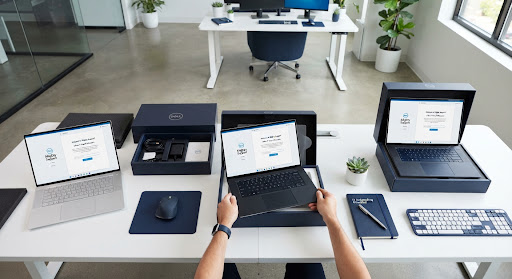
Windows 11 Readiness Check
A PC-by-PC plan before any work starts
Windows 10 Still Runs. It Just Stopped Getting Security Fixes.
Your PCs will keep turning on. What ended is the security patching. Any new weakness found in Windows 10 stays open unless you pay Microsoft for Extended Security Updates (ESU).
Check Which of My PCs Can Upgrade arrow_downward| ESU year | Covers | Price per PC |
|---|---|---|
| Year 1 | Until 13 October 2026 | $61 |
| Year 2 | 14 October 2026 to October 2027 | $122 |
| Year 3 (final) | October 2027 to October 2028 | $244 |
- info ESU is cumulative. A PC that skipped year one has to pay for it too, so joining in year two costs $183 per PC.
- info ESU only covers security fixes. No new features and no Microsoft technical support.
- info After October 2028 there are no more Windows 10 updates at any price.
- info Cyber insurance forms and client security reviews often ask whether every PC runs a supported operating system.
Upgrade, Replace, or Buy Time
Upgrade to Windows 11
Most business PCs bought since 2019 can move to Windows 11, and the Windows license costs nothing for eligible PCs. We back up first, run the upgrade, and check your apps and printers still work.
Check My PCs arrow_forwardReplace PCs that can’t upgrade
Older machines that fail the Windows 11 check need replacing. We help you pick the right models, set them up with your email, apps and security, and move files and settings across.
Plan My Replacements arrow_forwardBuy time with ESU
If a PC runs an older program you can’t move yet, ESU keeps security fixes coming while you plan. We show you the ESU cost next to the cost of upgrading, so you can decide with real numbers.
Compare My Costs arrow_forwardFrom Windows 10 to Windows 11 in Four Steps
01
Readiness check
We check every PC for Windows 11 compatibility (processor, TPM 2.0, Secure Boot, memory and storage) and list which can upgrade and which need replacing.
02
Your plan and price
You get a PC-by-PC plan with the price before any work starts. Nothing happens until you approve it.
03
Upgrade and setup
We back up each PC, run the upgrade or set up the replacement, and move files, apps, printers and settings. We schedule in batches so your team keeps working.
04
Follow-up support
If anything misbehaves after the switch, call us. Remote help is usually the same day, with onsite visits in select areas.
Everything It Takes to Move Off Windows 10
- check_circle Windows 11 compatibility check for every PC
- check_circle Full backup before any change
- check_circle In-place upgrade for eligible PCs
- check_circle New PC setup with company email, Microsoft 365 or Google Workspace, and security tools
- check_circle Files, apps, printers and settings moved across
- check_circle Security check after the move: updates, antivirus or EDR, and sign-in protection
- check_circle Remote support, plus onsite visits in select areas
Built for Small Offices Without an IT Department
- computer Offices with 2 to 50 PCs still on Windows 10
- person Businesses where the owner or office manager handles IT
- payments Teams already paying for ESU and planning the next step
- assignment Companies filling in cyber insurance or client security questionnaires
Windows 10 End of Support Questions
Is it safe to keep using Windows 10? expand_more
How do I know if my PC can run Windows 11? expand_more
Is the Windows 11 upgrade free? expand_more
Will we lose files or programs? expand_more
How long does it take? expand_more
Should we just pay for ESU? expand_more
Do you come onsite? expand_more
Don't Pay Double to Stay on Windows 10
Tell us how many PCs you have. A technician will call you back the same business day with next steps and a clear price.
Monday - Friday : 9:00 AM to 9PM EST
Get your Windows 11 upgrade plan
Send a request during business hours and a technician will call you back the same business day.
info Talk 2 Tech is an independent IT support company and is not affiliated with or authorized by any device or software maker. Brand names are mentioned only to describe the products we can help with.